Get Found on Google
A simple guide to local SEO for small businesses
When someone searches "plumbers near me", Google shows 3 local businesses at the top. Those 3 get 44% of all clicks. This guide helps you become one of them.
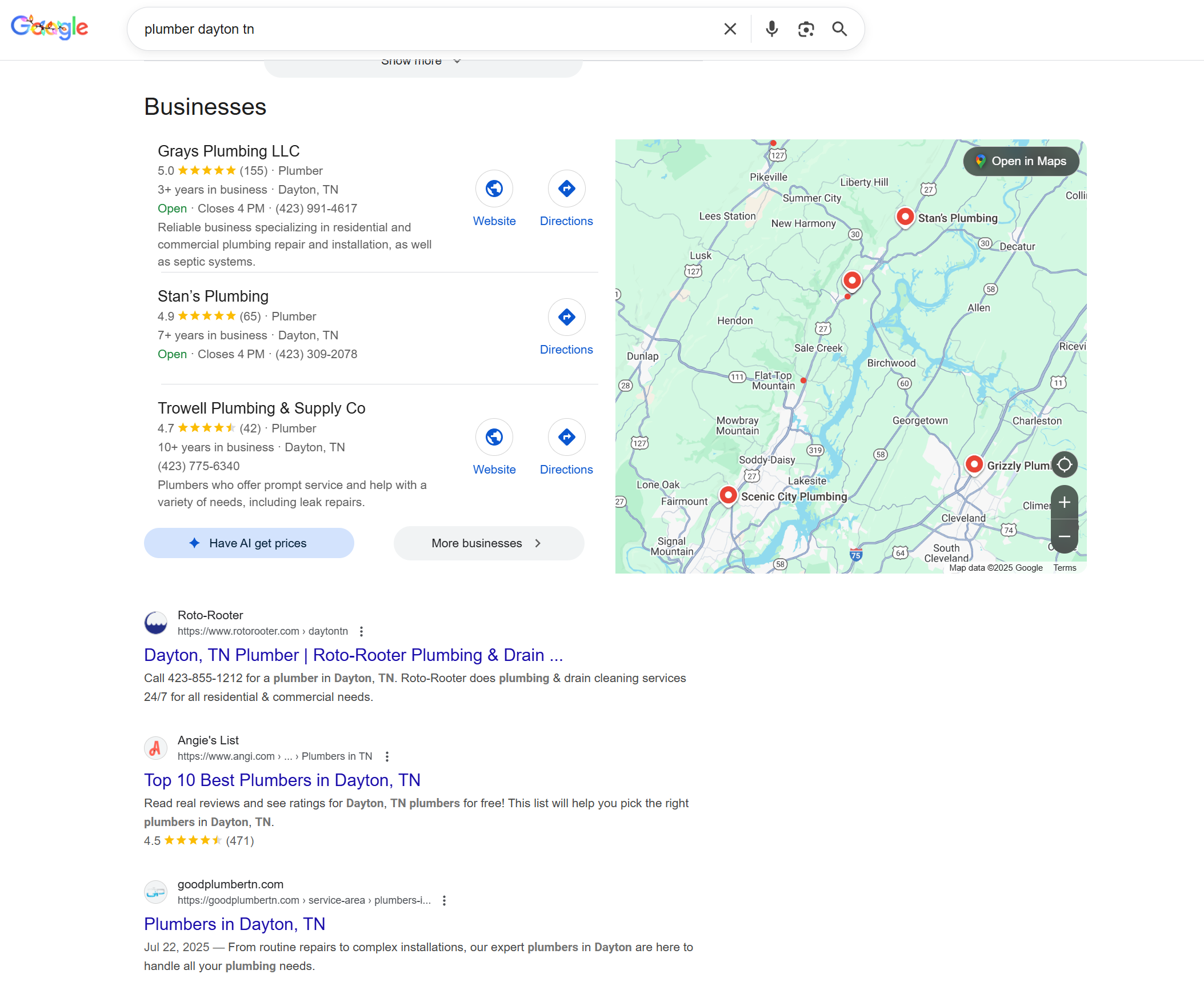
1. Set Up Google Business Profile
Go to business.google.com and claim your listing.
2. Upload Photos
Add 10-20 high-quality photos: completed projects, before/after shots, your team, your workspace. Businesses with photos get 42% more direction requests. Google picks which photo to feature, so upload plenty of good ones.
3. Add Categories & Services
Pick your primary category carefully. Add all relevant secondary categories (up to 10). Use the Services section to list what you offer with descriptions.
4. Create Directory Listings
Get listed on other sites with the same NAP (Name, Address, Phone) everywhere. Google cross-checks your info across the web. Consistent NAP = trustworthy business. Inconsistent NAP = Google isn't sure you're legit.
5. Get Reviews
Ask every happy customer for a review. Send them your Google review link directly. Respond to every review within 48 hours.
6. Post Weekly
Post once a week: job photos, tips, or updates. Active profiles rank higher.