Facebook Ads for Local Businesses
A plain-English, step-by-step guide to running your first ad. No jargon. No fluff. Just results.
Table of Contents
Need help setting this up?
Get in TouchWhy This Guide Exists
Facebook ads work for local businesses. The problem is most guides are written for marketing agencies, not plumbers, painters, and landscapers trying to get more customers.
This guide is different. No jargon. No advanced tactics. Just a simple path to running your first ad that actually brings in leads.
What you'll need before starting:
Facebook Business Page
Not your personal profile
A photo of your work
Or your team in action
$5-10/day budget
Pause anytime
Go to Meta Ads Manager
Visit adsmanager.facebook.com and log in with your Facebook account. Don't use the "Boost Post" button on your page. The Ads Manager gives you more control for less money.
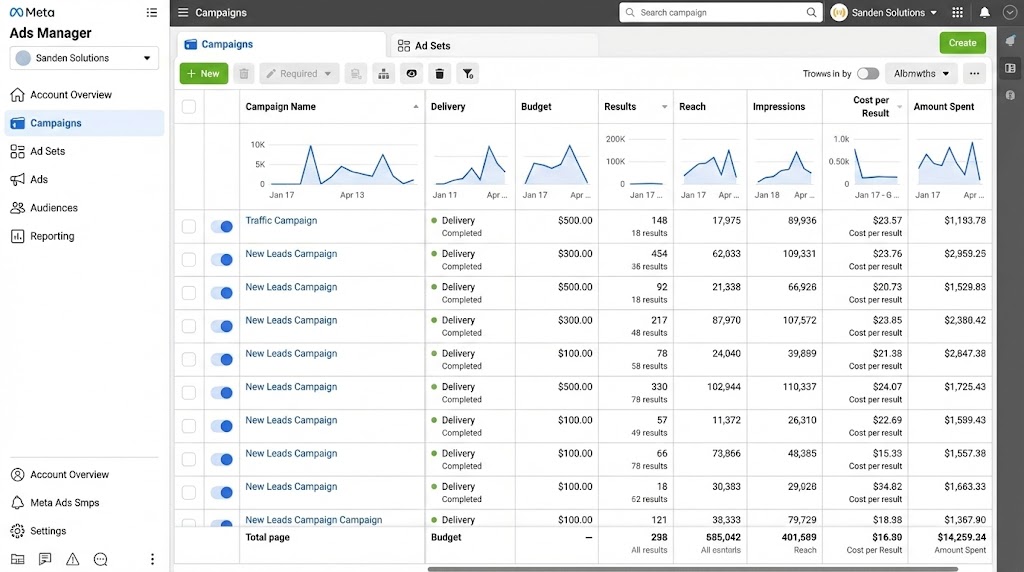
Why not just boost a post?
Boosting is simpler but costs more per result. Ads Manager lets you target better and track what's working.
Create a New Campaign
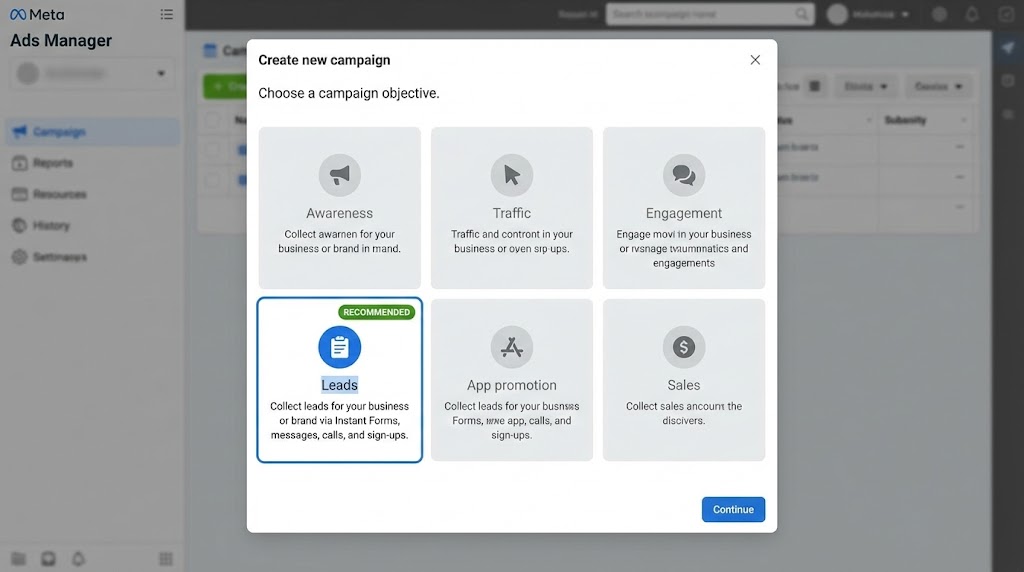
Click "+ Create" and choose your objective. For most local businesses, pick one of these:
Leads
RECOMMENDEDBest for getting phone numbers and emails. People fill out a form without leaving Facebook.
Traffic
Best for sending people to your website to learn more or book online.
Set Your Budget
Start with $5-10 per day. This is enough to reach a few hundred local people daily and see if your ad works.
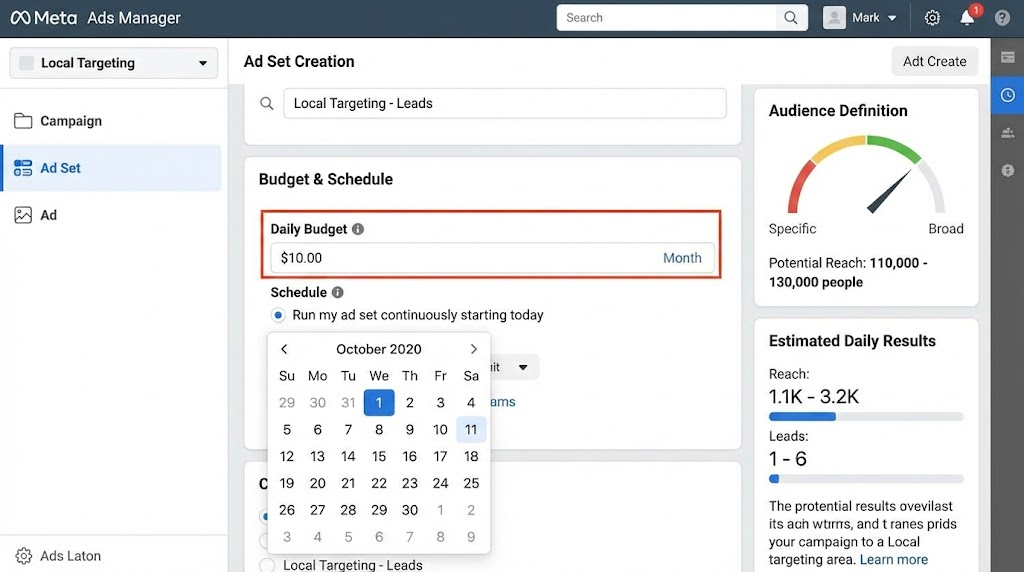
What to expect:
Target Your Local Area
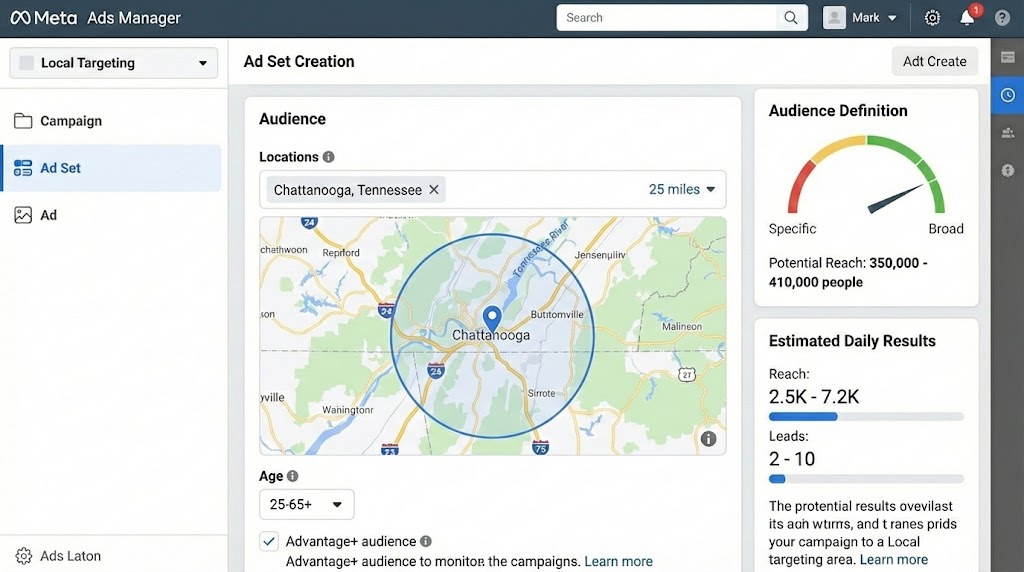
In the Audience section, set your location. Keep it simple:
Location
Your city + 15-25 mile radius
Age
25-65 (or your typical customer)
Everything else
Leave on "Advantage+ Audience"
2026 Update
Meta now defaults to "Advantage+ Audience" which uses AI to find your best customers. For most local businesses, this works better than manual targeting.
Create Your Ad
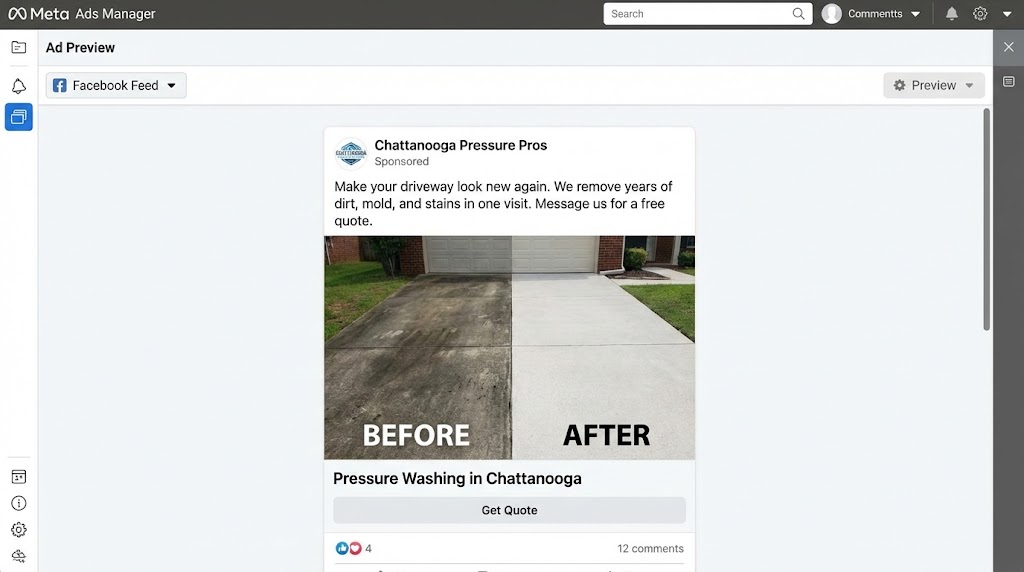
Keep it simple. Here's a formula that works:
Ad Template
Image
A real photo of your work. Before/after shots work great. Avoid stock photos.
Headline
[Your Service] in [Your City]
Example: "Pressure Washing in Chattanooga"
Primary Text
Lead with the benefit or problem you solve. Keep it to 2-3 sentences. End with a call to action.
"Make your driveway look new again. We remove years of dirt, mold, and stains in one visit. Message us for a free quote."
Call to Action Button
"Get Quote" or "Contact Us"
Pro tip
A phone photo of a finished job with honest copy beats a polished stock photo every time.
Set Up Your Lead Form
When someone clicks your ad, they'll see a form. Keep it short: the fewer fields, the more people complete it.
Include these fields:
"What service are you interested in?"
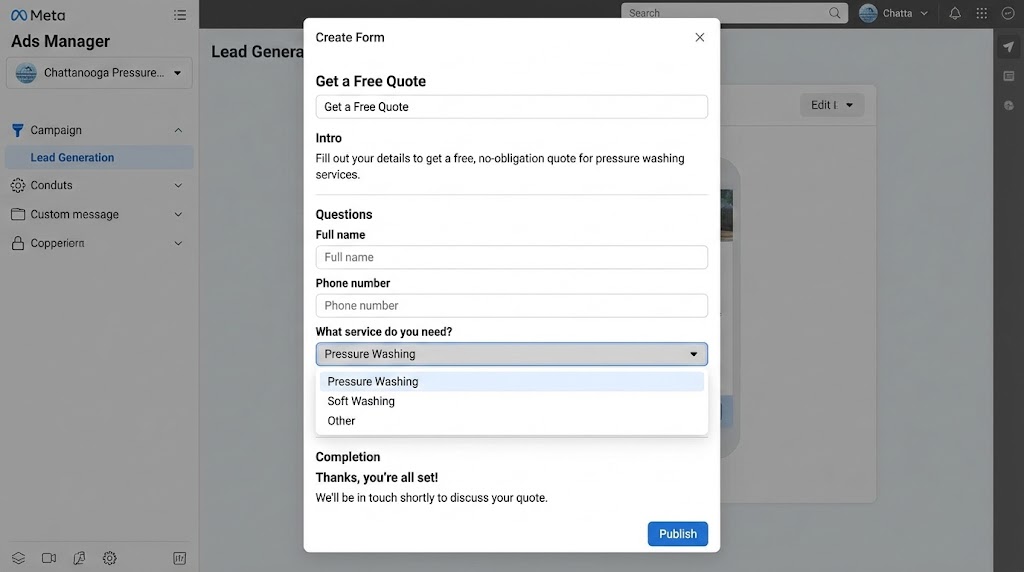
You can always ask more questions when you call them back.
Publish & Monitor
Hit publish. Your ad goes to Meta for review (usually approved within an hour). Then give it time to work and check back in 3-5 days.
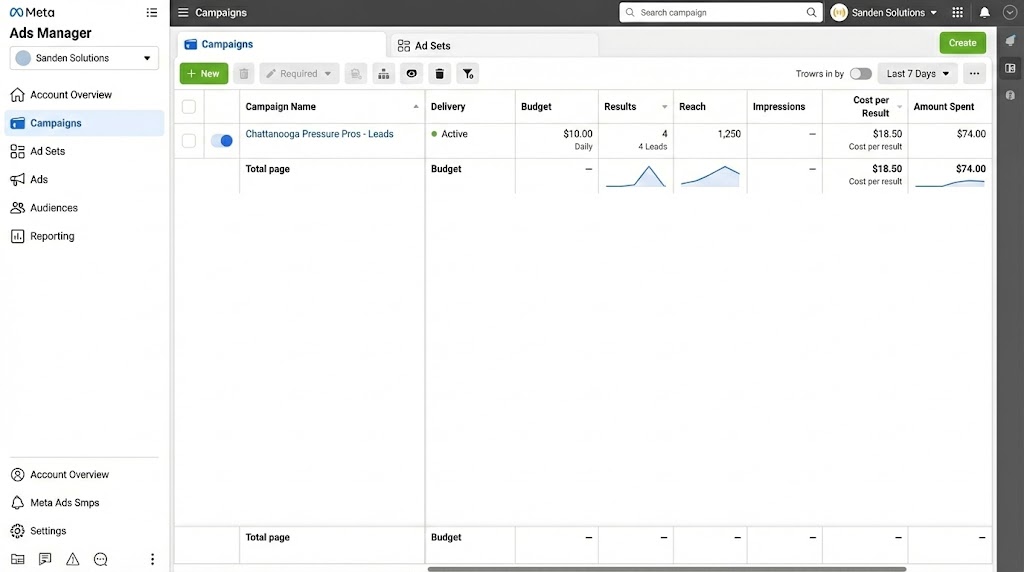
After 3-5 days, check these numbers:
Reach
1,000+
People should see your ad
Leads
2-5/week
Form completions is solid
Cost per Lead
Under $30
Is good for home services
What "Good" Looks Like
For a local service business spending $5-10/day:
Common Mistakes to Avoid
Changing the ad every day
Give it 5-7 days. The algorithm needs time to learn.
Targeting too narrow
Don't add lots of interests. Let Advantage+ find your audience.
Not responding to leads quickly
Call within 5 minutes if possible. After an hour, they've moved on.
Using "Boost Post" instead
Boosting is easier but you pay more for worse targeting.
Quick Summary
Want Help Setting Up Your First Campaign?
We can set up your first Facebook ad campaign for you, or walk you through it step by step.