
Google My Business for Small Business: The Complete Guide

Cindi Sanden
Founder & CMO
March 1, 2022
Published
Updated for 2025: This complete guide has been updated with the latest Google My Business features, optimization strategies, and best practices for maximum local visibility.
Introduction
Google My Business (also known as Google Business Profile) is a powerful, free tool that helps small businesses manage their online presence across Google Search, Maps, and other Google services. For local businesses, it's not just helpful—it's absolutely essential for survival in today's digital marketplace.
With over 8.5 billion searches happening on Google every day, and 46% of all searches having local intent, your Google My Business listing is often the first impression potential customers have of your business. It's your digital storefront, available 24/7 to showcase what makes your business special.

Google My Business is an excellent tool for small businesses at any stage—whether you're just starting out or you've been around for years but haven't maximized your online presence. The platform provides businesses with the necessary tools to maintain a professional online presence, including business details, location information, customer reviews, photos, and much more.
While getting started on Google My Business isn't difficult, maximizing its potential does require strategic thinking and consistent effort. This comprehensive guide will walk you through everything you need to know to dominate local search results and attract more customers.
Why Google My Business is Critical for Small Businesses
Local Search Dominance
- 76% of people who search for something nearby visit a business within 24 hours
- 28% of local searches result in a purchase
- 50% of consumers who conducted a local search visited a store within a day
- Local searches are 3x more likely to convert than non-local searches
Competitive Advantage
In 2025, businesses with optimized Google My Business listings significantly outperform those without. Your listing appears in:
- Google Search results
- Google Maps
- Local pack results (the top 3 local businesses shown)
- Knowledge panels
- Mobile "near me" searches
How to Get Started on Google My Business

Step 1: Create Your Business Listing
To create your Google My Business listing, you'll need the following essential information ready:
Basic Business Information:
- Your exact business name (as it appears on your storefront/legal documents)
- Complete physical address (including suite/unit numbers if applicable)
- Primary phone number (preferably a local number)
- Business hours, including holiday hours and special schedules
- Your business website URL
- Primary business category (be as specific as possible)
Additional Important Details:
- Secondary business categories (you can choose up to 10)
- Business description (750 characters max)
- Opening date
- Attributes (wheelchair accessible, outdoor seating, etc.)
- Service areas (for businesses that serve customers at their locations)
Step 2: Verify Your Business
Google requires verification to ensure listing accuracy and prevent spam. Verification methods include:
- Postcard verification (most common) - Google mails a postcard with a verification code
- Phone verification - Receive an automated call with a code
- Email verification - Get a code via email (limited eligibility)
- Instant verification - For some businesses already connected to Google services
Step 3: Complete Your Profile
Once verified, complete every section of your profile. Google rewards complete, accurate listings with better visibility in search results.
Advanced Optimization Strategies for Maximum Visibility
Profile Completeness and Accuracy
Use Your Exact Business Name: Your listing name should match your actual business name exactly as it appears on your storefront, website, and legal documents. Avoid keyword stuffing or adding extra descriptive words.
Comprehensive Business Information: Fill out every available field in your profile. Include:
- Detailed business description highlighting your unique value proposition
- All relevant business categories (primary + secondary categories)
- Complete contact information including website and social media links
- Accurate hours for every day of the week, plus special hours for holidays
Consistent NAP Information: Ensure your Name, Address, and Phone number are identical across all online platforms, directories, and citations. Inconsistency confuses Google and hurts your rankings.
Visual Content Strategy
Professional Photography is Essential: High-quality photos significantly impact customer decisions. Businesses with photos receive:
- 42% more requests for directions
- 35% more click-throughs to their websites
Required Photo Types:
- Logo: Clear, high-resolution version of your business logo
- Cover photo: Compelling exterior shot that represents your business
- Interior photos: Show your space, atmosphere, and cleanliness
- Product/service photos: Highlight your best offerings
- Team photos: Put faces to your business for personal connection
- Additional photos: Behind-the-scenes, customer experiences, special events
Photo Optimization Tips:
- Use high-resolution images (minimum 720 x 720 pixels)
- Ensure good lighting and professional composition
- Upload photos regularly to keep content fresh
- Include a variety of angles and perspectives
- Avoid watermarks or heavy text overlays
Google Posts and Regular Updates
Leverage Google Posts: These mini-advertisements appear directly in your listing and help you:
- Announce special offers and promotions
- Share business updates and news
- Highlight events and seasonal offerings
- Showcase new products or services
Post Types and Best Practices:
- What's New posts: Updates about your business
- Event posts: Promote upcoming events with dates and times
- Offer posts: Special deals with clear terms and expiration dates
- Product posts: Showcase specific products with prices
Update Frequency: Post at least once per week to maintain an active, engaging presence.
Review Management Strategy

Proactive Review Generation: Don't wait for reviews to happen naturally. Actively encourage satisfied customers to leave reviews by:
- Asking in-person after positive interactions
- Including review requests in follow-up emails
- Providing direct links to your Google review page
- Training staff to mention reviews during checkout
- Creating review request cards or flyers
Professional Response Strategy: Respond to ALL reviews, both positive and negative:
For Positive Reviews:
- Thank the customer by name when possible
- Mention specific details from their review
- Invite them to return or try other services
- Keep responses authentic and varied
For Negative Reviews:
- Respond quickly and professionally
- Acknowledge the customer's concerns
- Offer to discuss the issue privately
- Show potential customers how you handle problems
- Never argue or become defensive
Advanced Features and Tools
Messaging: Enable messaging to let customers contact you directly through your listing. Respond quickly to maintain high response rates.
Booking Integration: If applicable, integrate booking systems to allow customers to schedule appointments directly from your listing.
Menu Integration: For restaurants, upload detailed menus with current prices and descriptions.
Attributes: Use all relevant attributes to help customers understand your business better (wheelchair accessible, outdoor seating, Wi-Fi available, etc.).
Q&A Section: Monitor and respond to customer questions promptly. Proactively add common questions and answers.
Measuring Success and Analytics
Key Metrics to Track
Discovery Metrics:
- How customers find your listing (search vs. maps vs. direct)
- Total views and impressions
- Search queries that trigger your listing
Engagement Metrics:
- Website clicks
- Direction requests
- Phone calls
- Photo views
Action Metrics:
- Booking requests
- Message inquiries
- Menu views (for restaurants)
Review Metrics:
- Total number of reviews
- Average rating
- Review response rate and time
Using Insights for Optimization
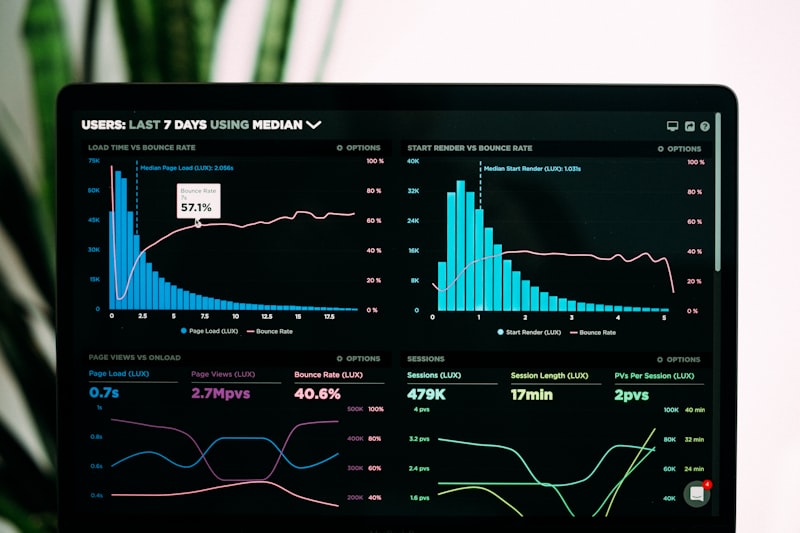
Google provides detailed insights about how customers interact with your listing. Use this data to:
- Identify peak times for customer engagement
- Understand which photos perform best
- Track the effectiveness of posts and updates
- Monitor search query trends
- Adjust business hours based on customer demand patterns
Common Mistakes to Avoid
Listing Management Errors
- Inconsistent business information across different platforms
- Choosing incorrect business categories that don't match your services
- Neglecting to update hours for holidays or schedule changes
- Using promotional language in business names or descriptions
- Ignoring negative reviews or responding unprofessionally
Optimization Oversights
- Using low-quality or irrelevant photos
- Forgetting to add business attributes that help customers
- Not utilizing Google Posts to keep content fresh
- Failing to encourage customer reviews systematically
- Not monitoring competitor listings for comparison and inspiration
Advanced Local SEO Integration
Your Google My Business optimization should be part of a broader local SEO strategy:
Citation Building
Ensure your business information is consistent across:
- Local directories (Yelp, Yellow Pages, Chamber of Commerce)
- Industry-specific platforms
- Social media profiles
- Your website footer and contact pages
Website Optimization
- Include location-specific keywords naturally in your content
- Create location pages if you serve multiple areas
- Embed your Google My Business listing on your website
- Use structured data markup for local business information
Local Content Marketing
- Write blog posts about local events and community involvement
- Create location-specific landing pages
- Participate in local online communities and forums
- Partner with other local businesses for cross-promotion
Staying Current with Google My Business Changes
Google frequently updates and improves its local business features. Stay informed by:
- Following official Google My Business social accounts
- Reading Google's official documentation and updates
- Joining local SEO communities and forums
- Working with experienced digital marketing professionals
Conclusion and Next Steps
Google My Business is a powerful, free tool that can dramatically improve your local visibility and attract more customers to your business. However, maximizing its potential requires strategic thinking, consistent effort, and ongoing optimization.
The key to success lies in treating your Google My Business listing as a dynamic marketing tool, not a "set it and forget it" directory listing. Regular updates, active review management, and strategic content creation will help you dominate local search results and outperform competitors.
Essential action steps:
- Claim and verify your Google My Business listing immediately
- Complete every section of your profile with accurate, detailed information
- Upload high-quality photos regularly to showcase your business
- Develop a systematic approach to generating and managing reviews
- Post updates consistently to keep your listing active and engaging
- Monitor analytics to understand customer behavior and optimize accordingly
Ready to Dominate Local Search Results?
While this guide provides comprehensive strategies for Google My Business success, implementing and maintaining these tactics while running your business can be challenging. That's where professional expertise makes all the difference.
At Sanden Solutions, we specialize in helping small businesses maximize their Google My Business potential and dominate local search results. Our team stays current with all platform updates and best practices, ensuring your business maintains maximum visibility and attracts more customers.
Ready to boost your local visibility and attract more customers? Contact Sanden Solutions today for a free consultation and discover how we can help your business succeed with Google My Business optimization and comprehensive local SEO strategies.
Ready to Get Your Business Found Online?
Let's set up your complete online presence—website, Google, and Facebook—working together to get you customers